Flyby’s Crimson Print Cheat Sheet
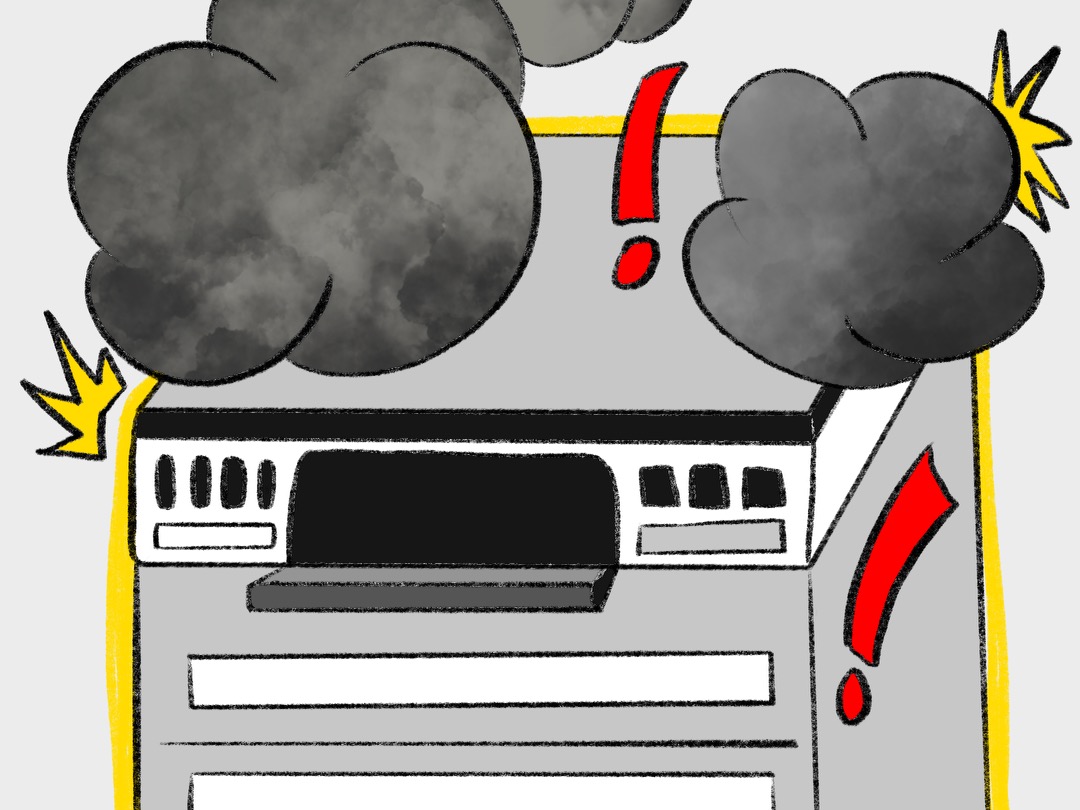
Crimson Print was once the bane of my existence. Before I learned how to set it up, I too frequently would make the trek of shame to Lamont’s basement printer-linked computers, or create a sacrificial rite to the gods of printing, whomever they may be, begging them to please help me print my measly two-page Ec 10a cheat sheet. Worst case scenario, I’d begin begging strangers in mega group chats for help, or make awkward eye contact with a random student in Lamont who clearly knew how to use the printers.
Life was pretty miserable, until I finally figured out how to use Crimson Print. Gatekeeping is not my middle name, so here’s how to set up Crimson Print (this worked for two other people, so I may or may not now consider myself a tech expert).
Note: These instructions are mainly for Mac, apologies to Windows users but I’m sure the steps are similar.
For reference, these are the articles I used to set up Crimson print on my device, but it’s pretty difficult to follow and troubleshoot with.
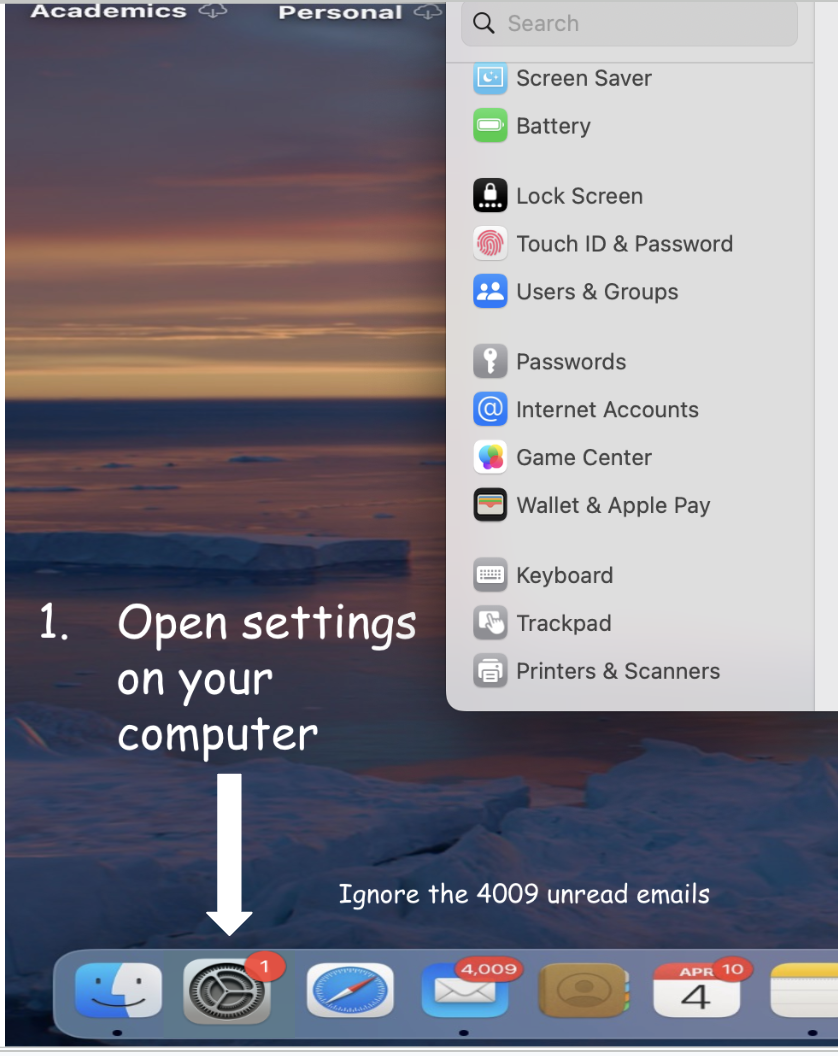
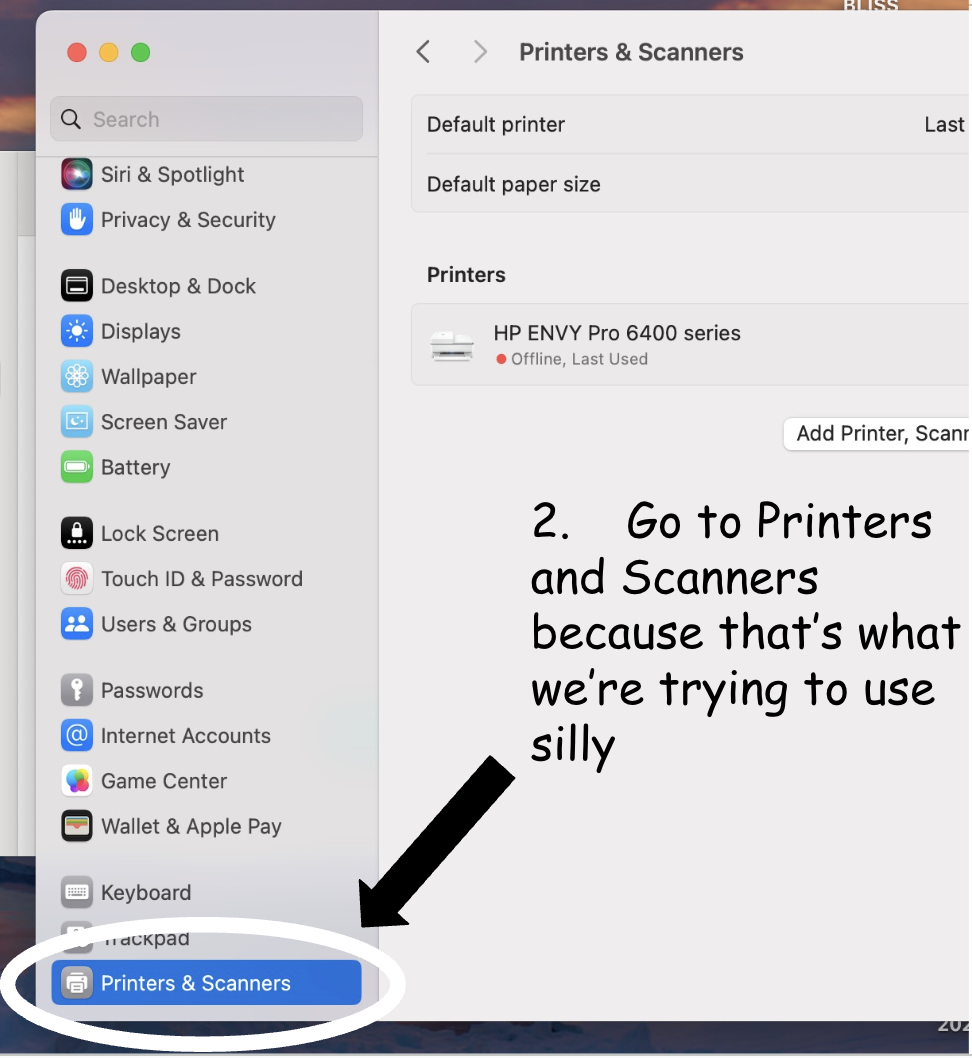
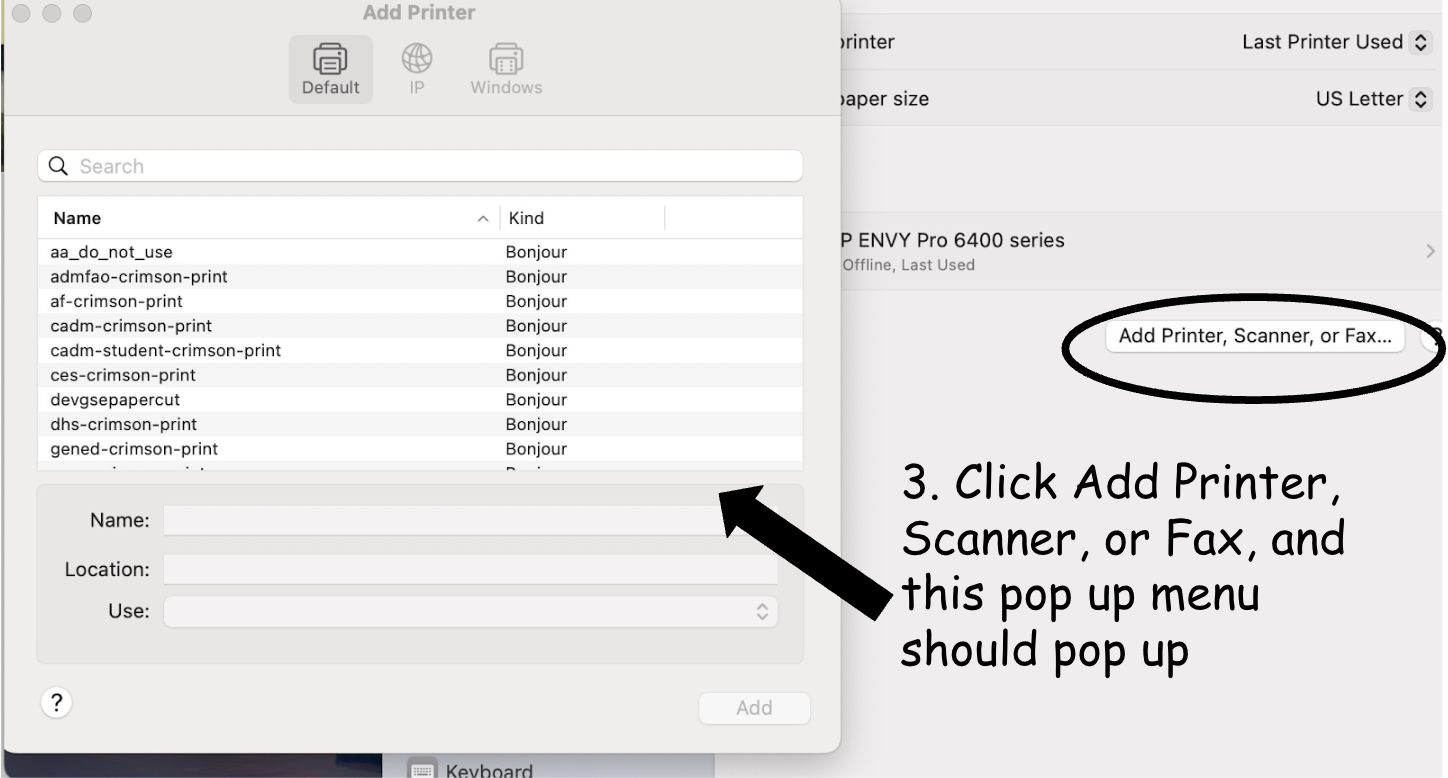
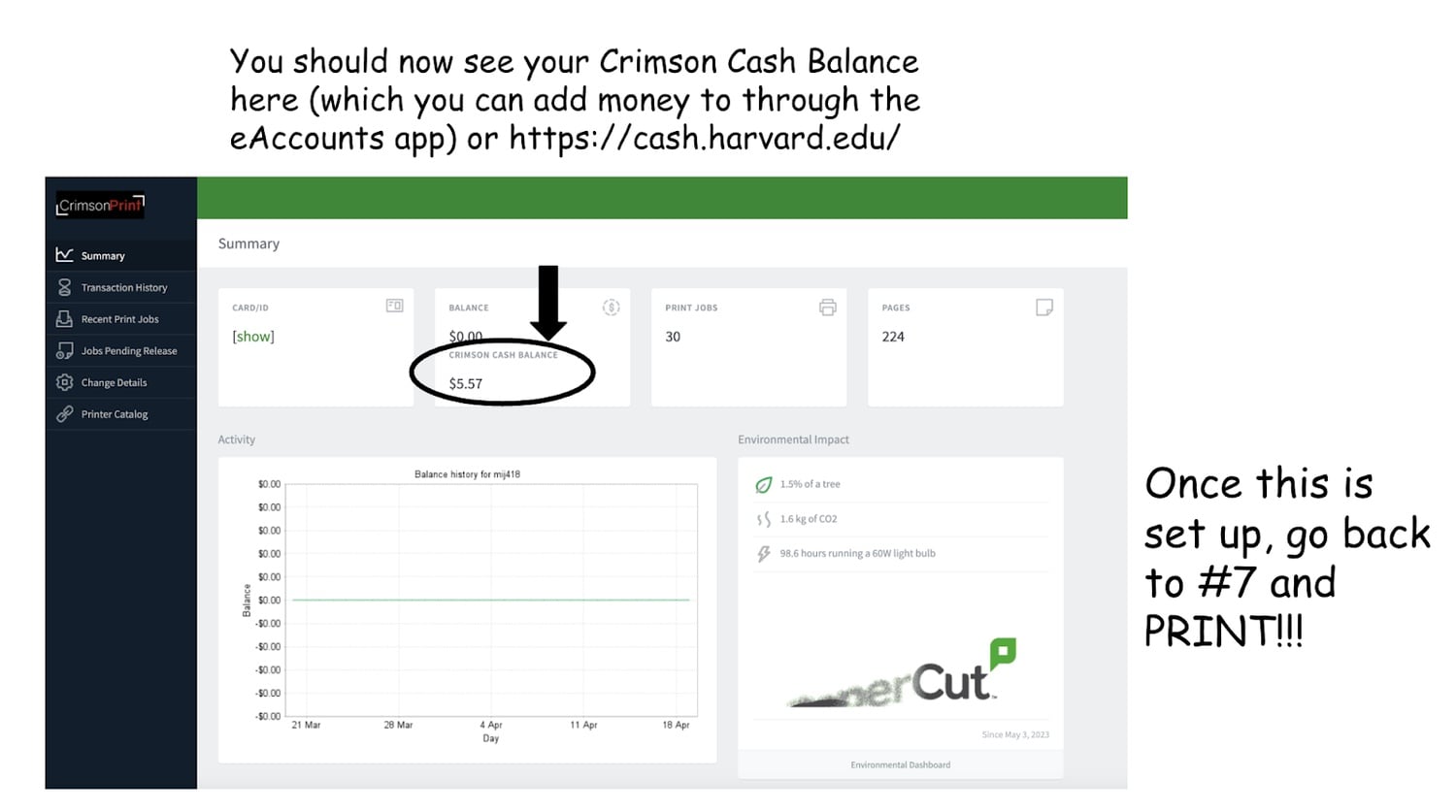
Instead, I present you with an easy, follow-along guide, with pictures and captions and all that jazz. You’re welcome!
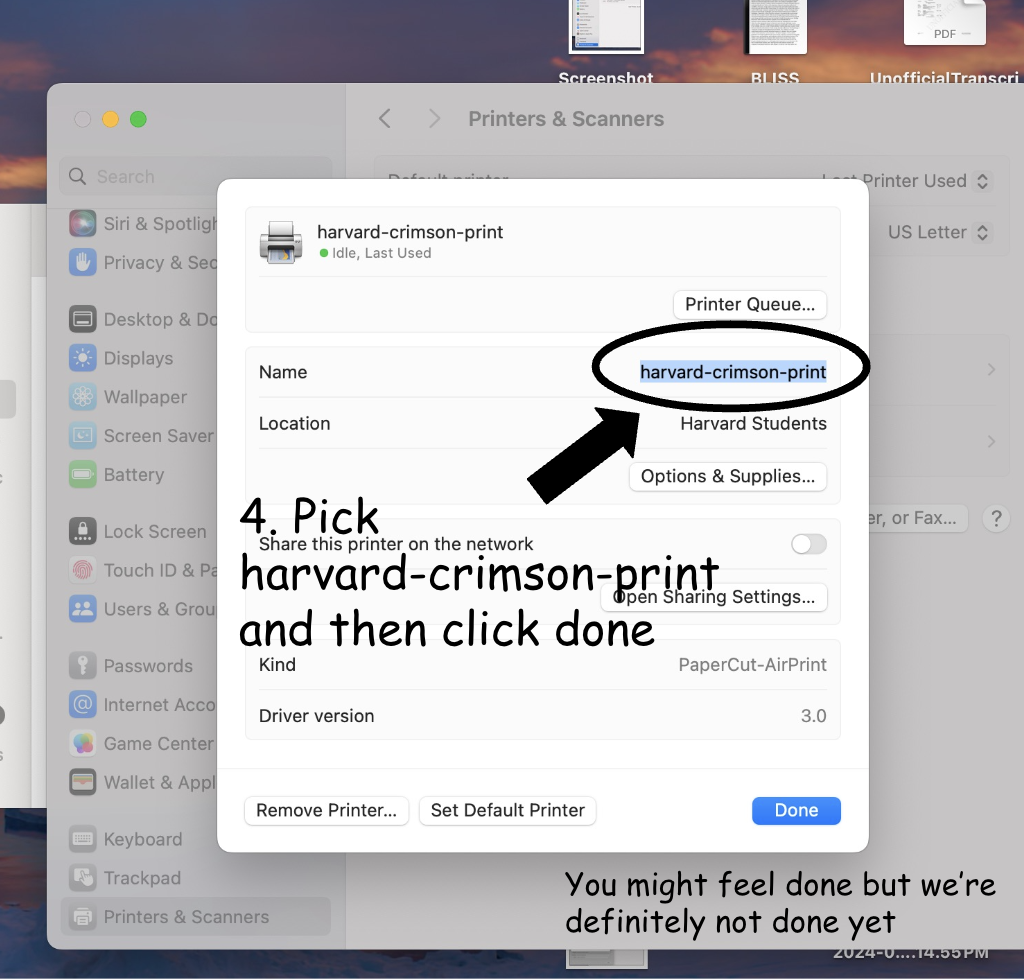
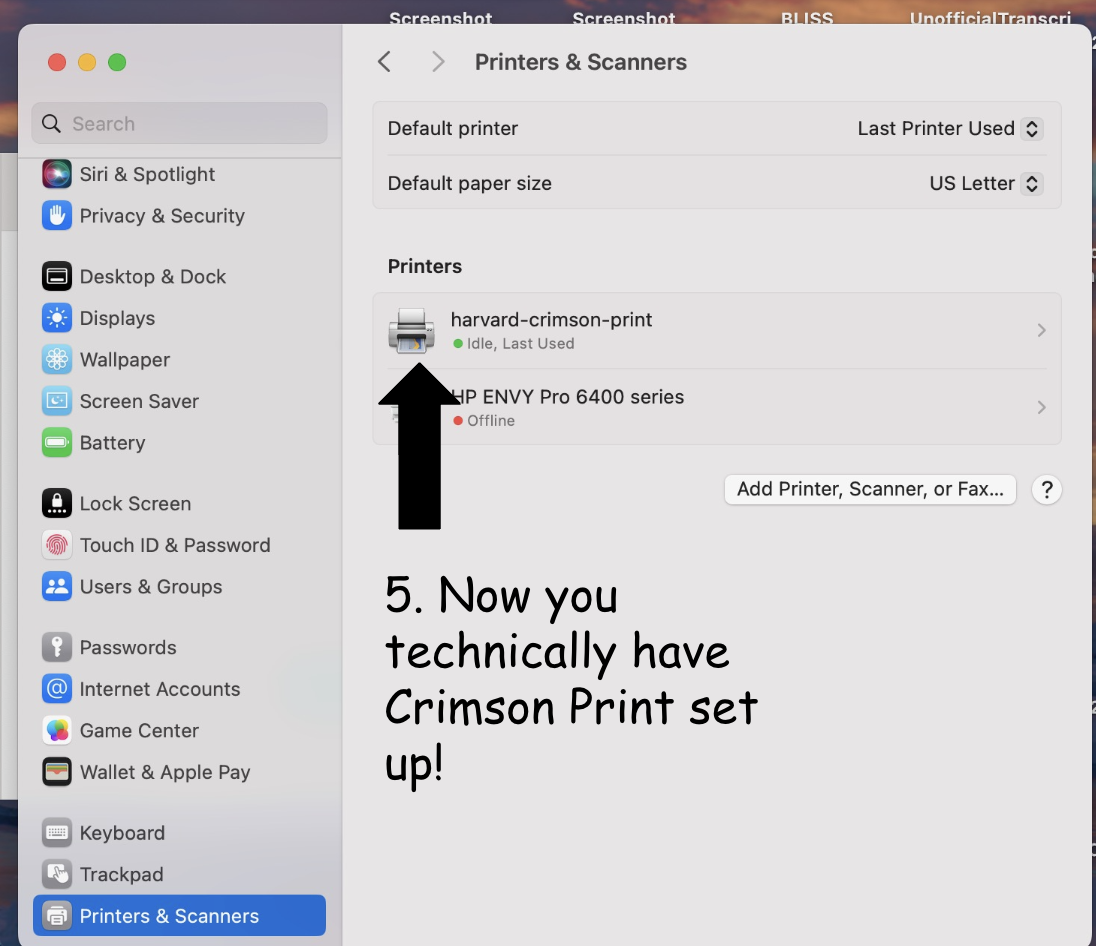
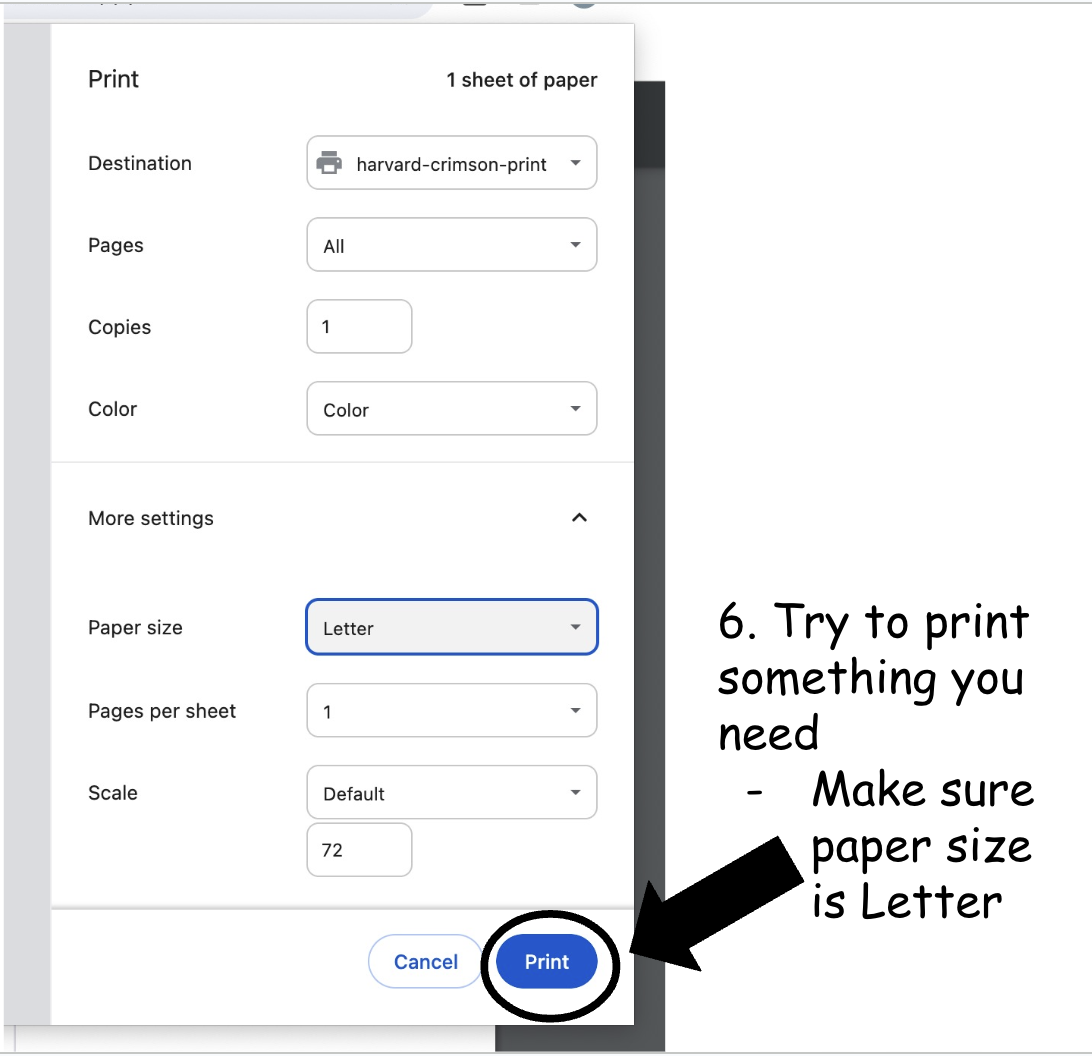
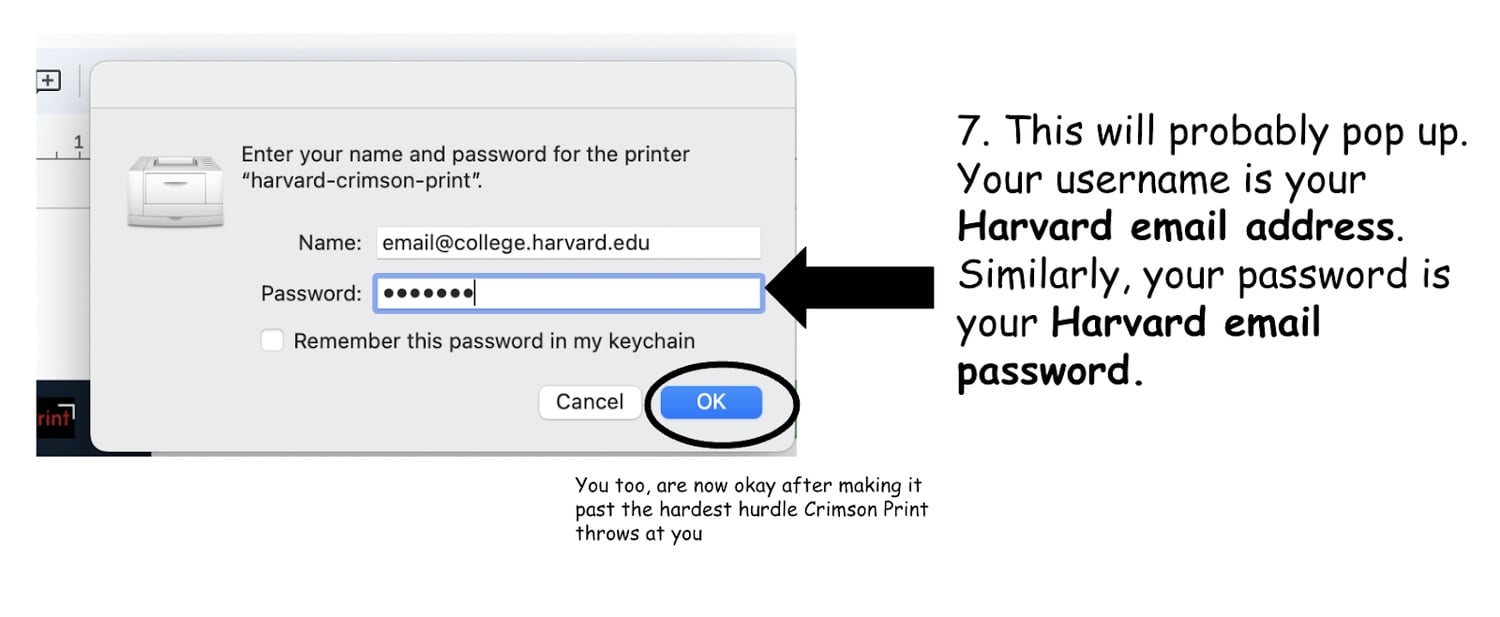

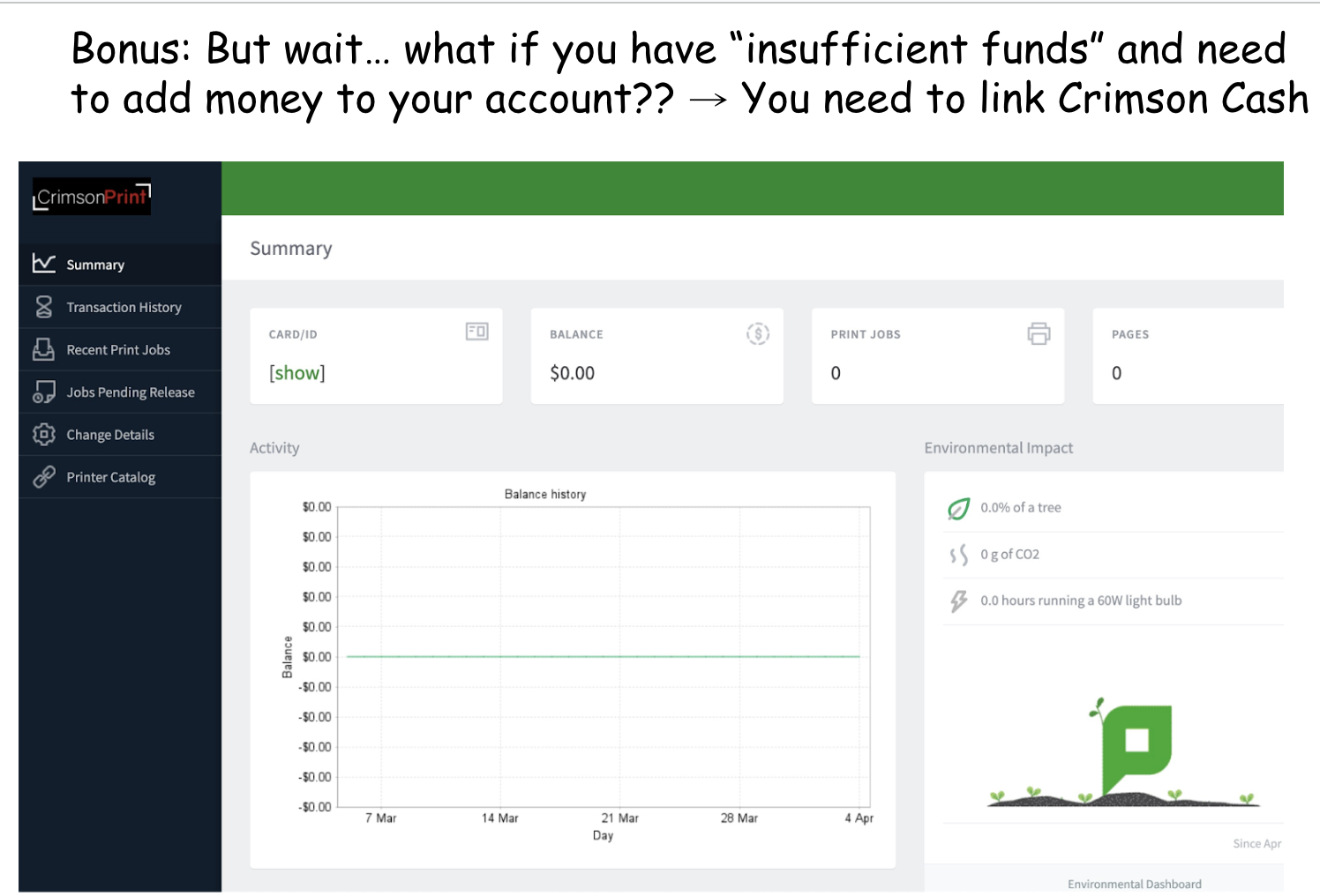
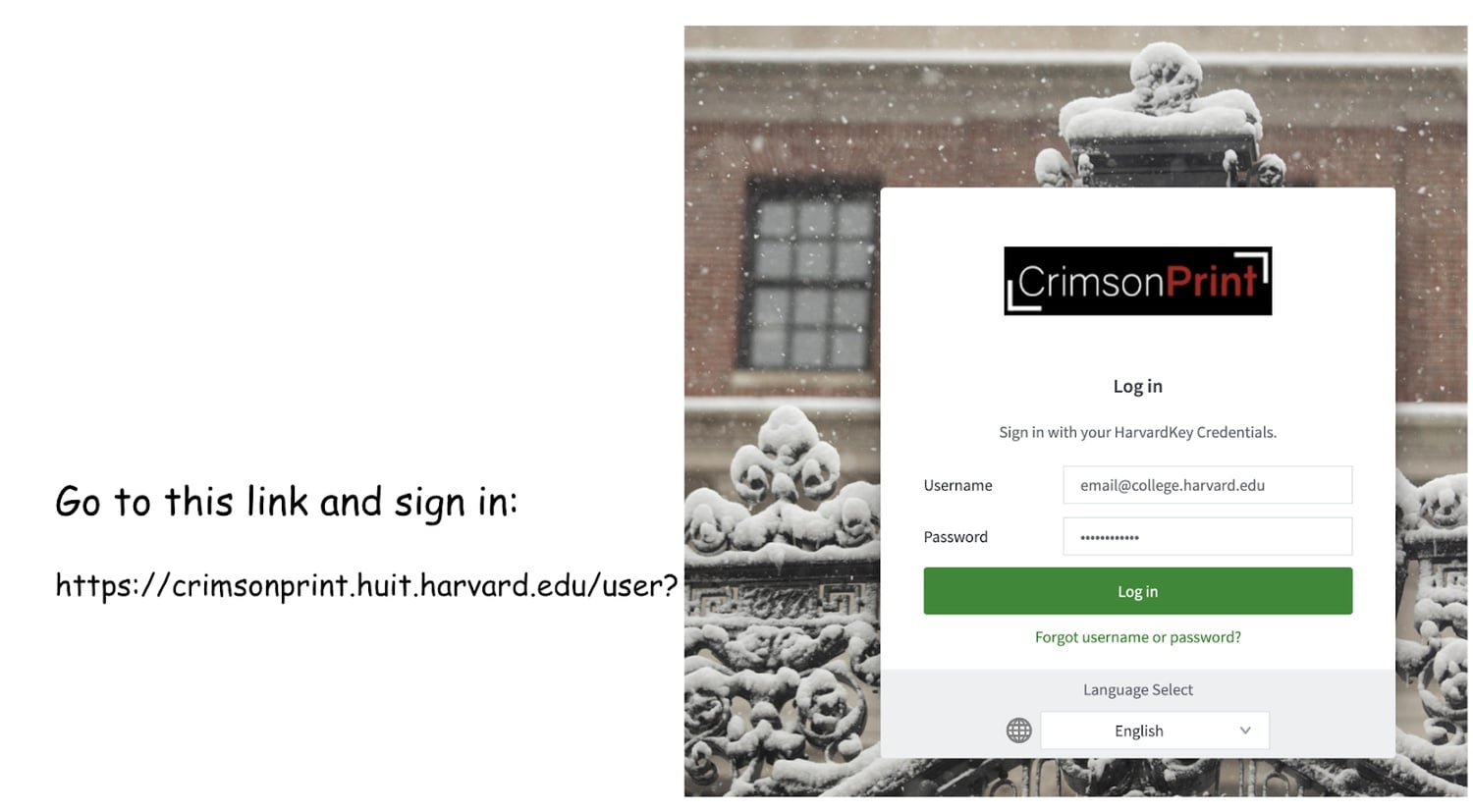
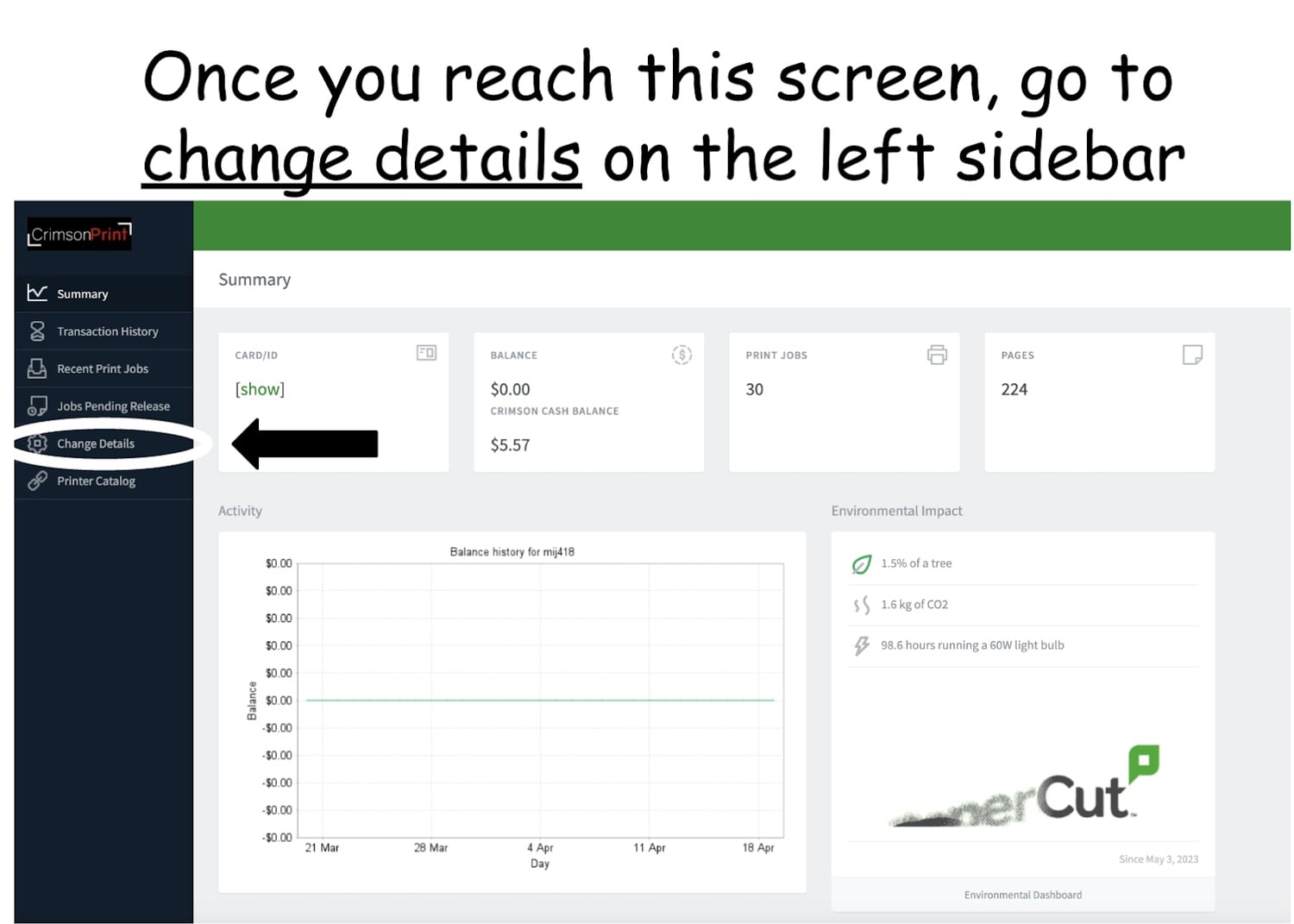
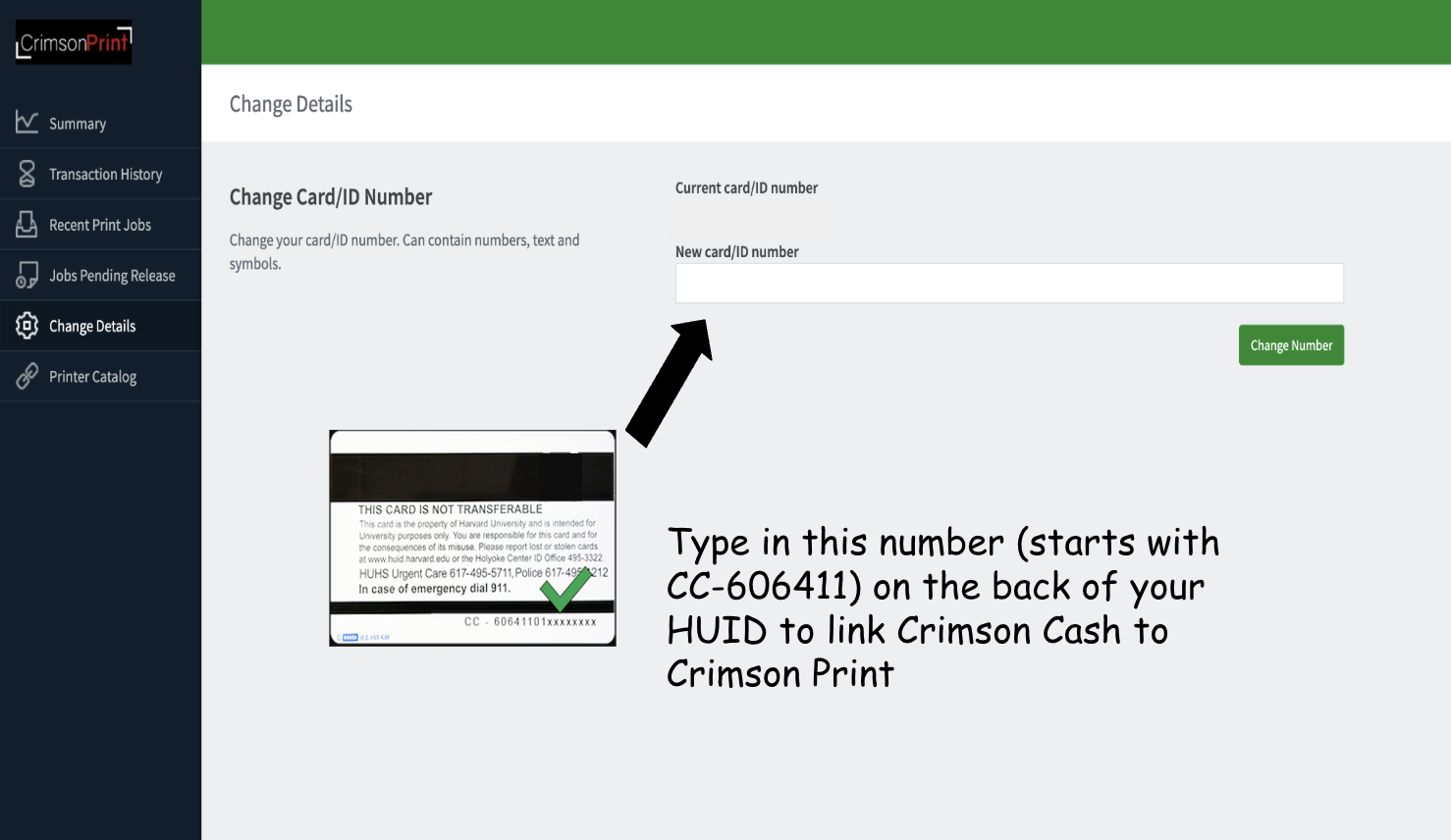
Even printing is difficult at an academically rigorous school like Harvard. Hopefully, now you know how to print things so you do not have to go through what I did. May the Crimson Print be in your favor.